Full-stack artist portfolio with gallery platform, inspiration system, and studio CMS dashboard
Designed and built from concept to production — a complete digital presence for a contemporary abstract painter. Custom gallery with chapter-based exhibition architecture, an inspiration-sharing system, contact integration, SEO, analytics, and a full admin CMS where the artist manages his gallery independently. Sole developer and designer throughout.
The core of the site — a dynamic gallery engine that organises 32 artworks across 5 curated chapters with priority-based ordering. Each chapter filters with animated transitions. The lightbox supports multi-image viewing with keyboard navigation, swipe gestures, and full-screen zoom. Every artwork has its own SEO-optimised page with dynamic metadata generation.
Key Details
5 curated chapters with priority ordering
Multi-image lightbox with keyboard + swipe + zoom
Individual artwork pages with dynamic SEO metadata
Available Works page with purchasable pieces filter
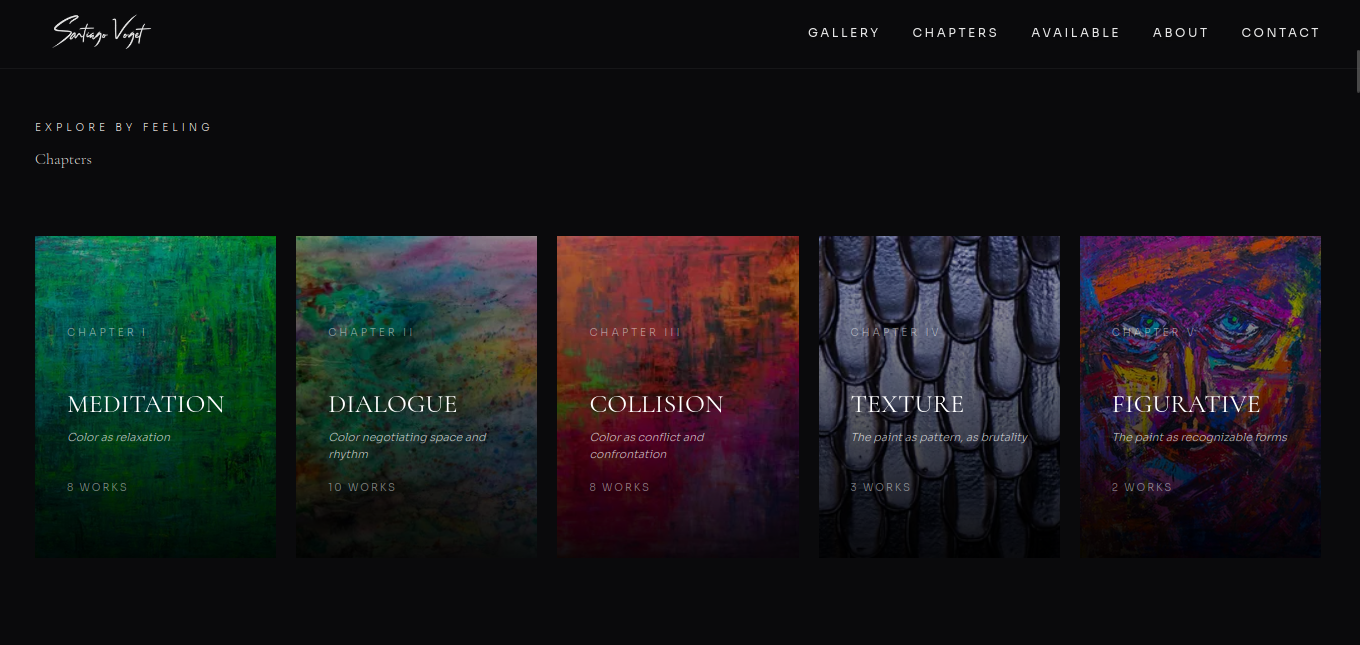
Chapter-based exhibition with artwork counts and descriptions
Chapter-based exhibition system — 5 curated chapters with artwork counts and descriptions
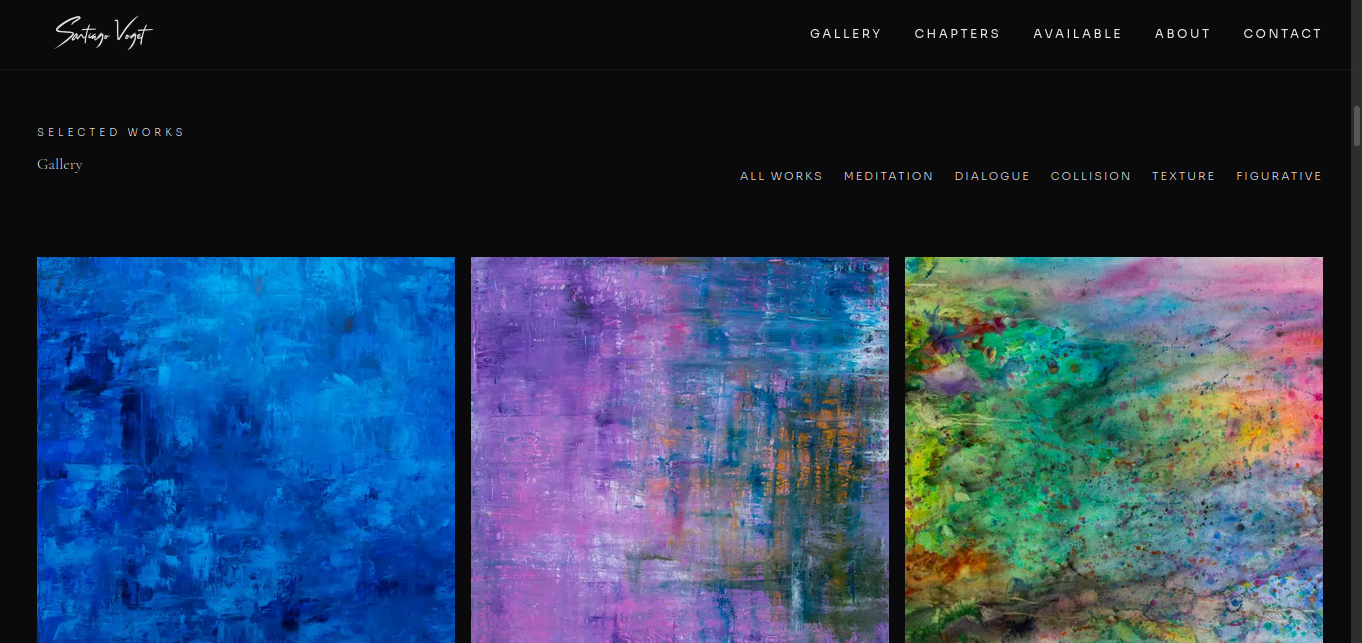
Gallery with chapter filtering — All Works, Meditation, Dialogue, Collision, Texture, Figurative
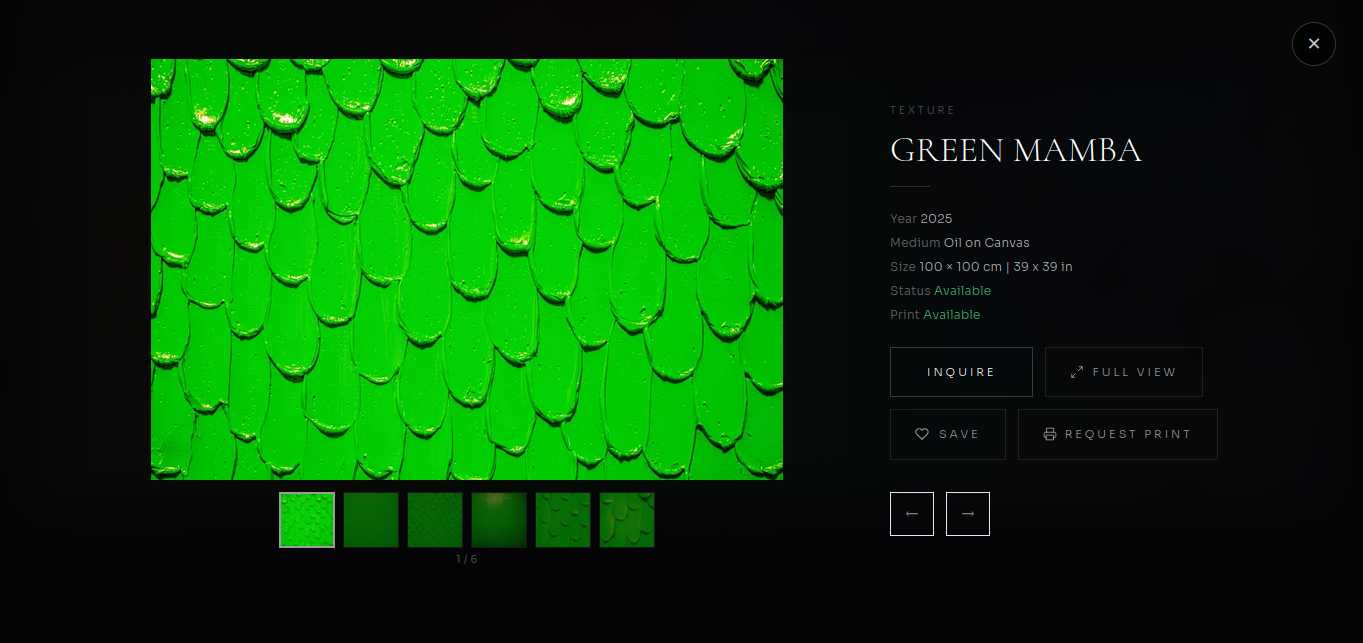
Lightbox — available artwork with Inquire, Full View, Save, and Request Print actions
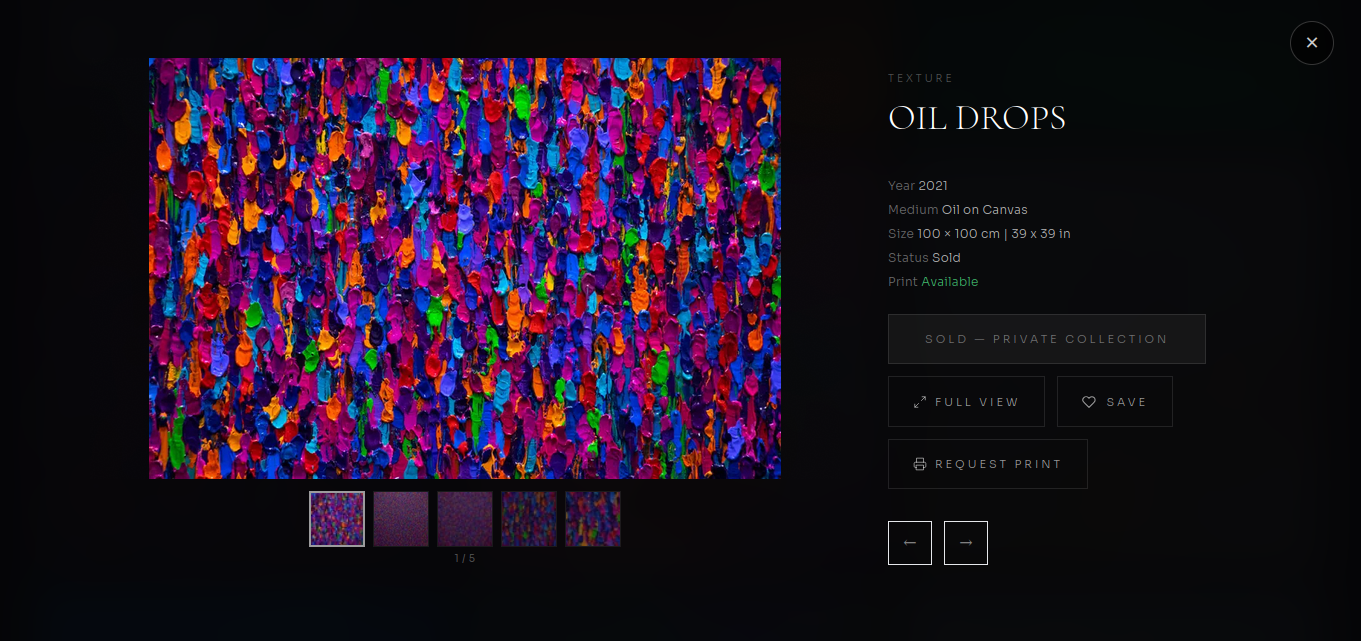
Lightbox — sold artwork showing "Private Collection" status with print option
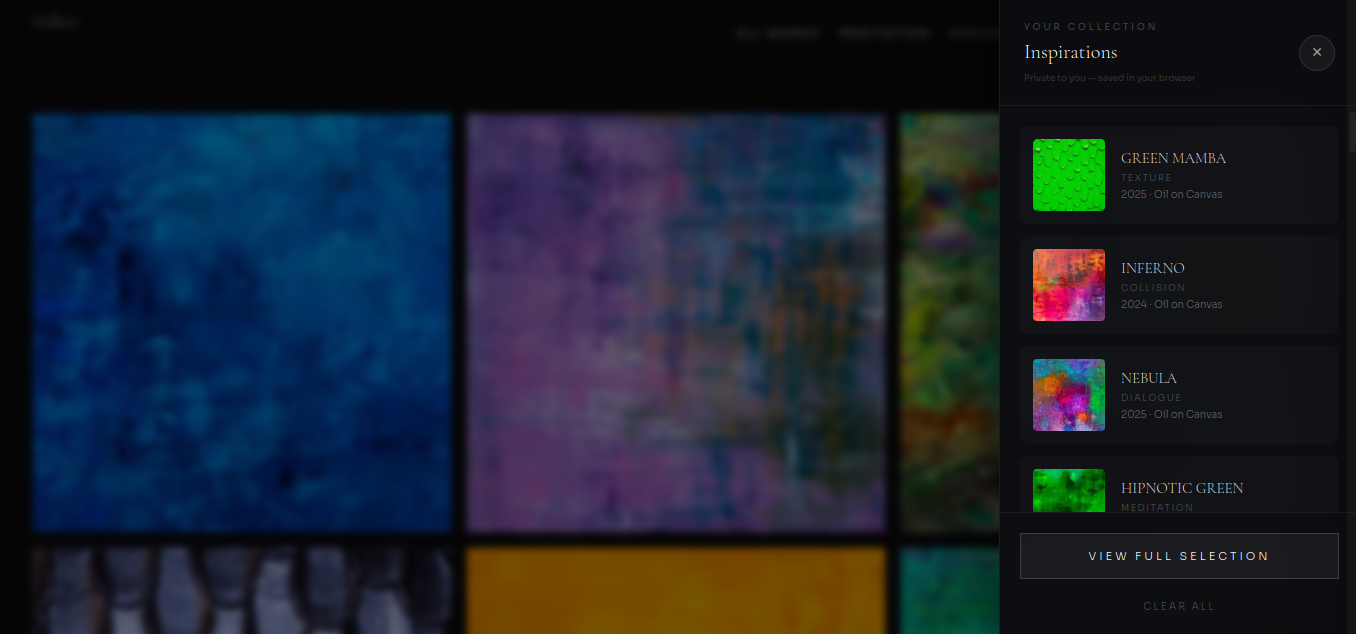
A custom feature that lets visitors save artworks to a personal Inspirations collection — built with React Context and localStorage for persistence. The slide-in panel shows saved thumbnails, and visitors can generate a shareable link or send their curated selection directly to the artist through a pre-filled contact form.
Key Details
React Context + localStorage for state persistence
Slide-in panel with live thumbnail previews
Shareable link generation for collections
"Share with Santiago" flow pre-filling the contact form
Slide-in Inspirations panel — saved artworks with thumbnails, chapter labels, and "View Full Selection"
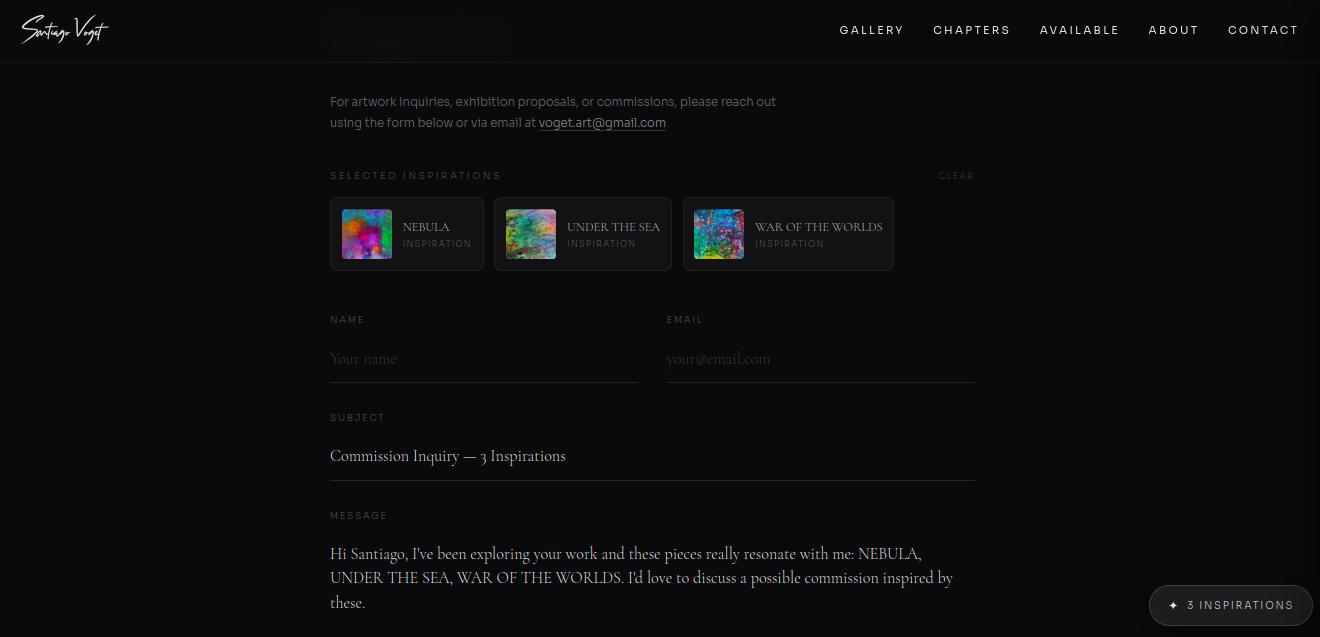
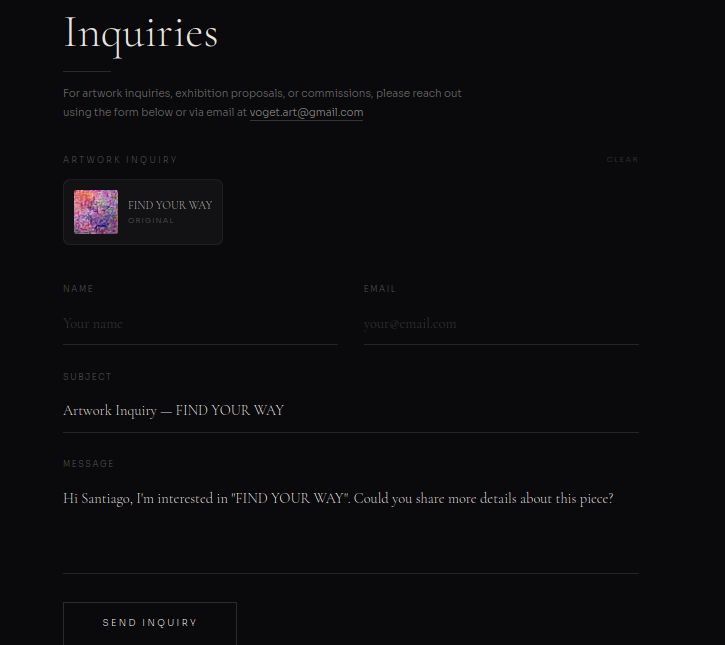
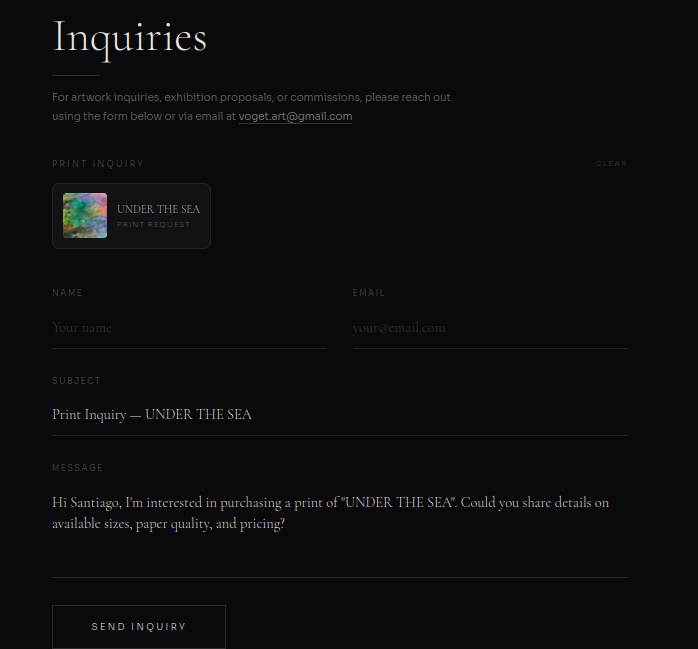
Three distinct inquiry flows — print requests, artwork inquiries, and inspiration-based selections — all funnelling into a unified contact form via Web3Forms API. The form intelligently pre-fills based on context using custom events, meaning no page refresh is needed when a visitor navigates between artwork and contact. Includes polished success state UX after submission.
Key Details
Web3Forms API integration for direct email delivery
Smart pre-fill from 3 different entry points
Custom event system — no page refresh needed
Polished submission success state
Inspiration inquiry — "Commission Inquiry — 3 Inspirations" with all saved artworks and pre-filled message
Artwork inquiry — "Artwork Inquiry — FIND YOUR WAY" with contextual pre-fill from gallery
Print request — "Print Inquiry — UNDER THE SEA" with print-specific messaging
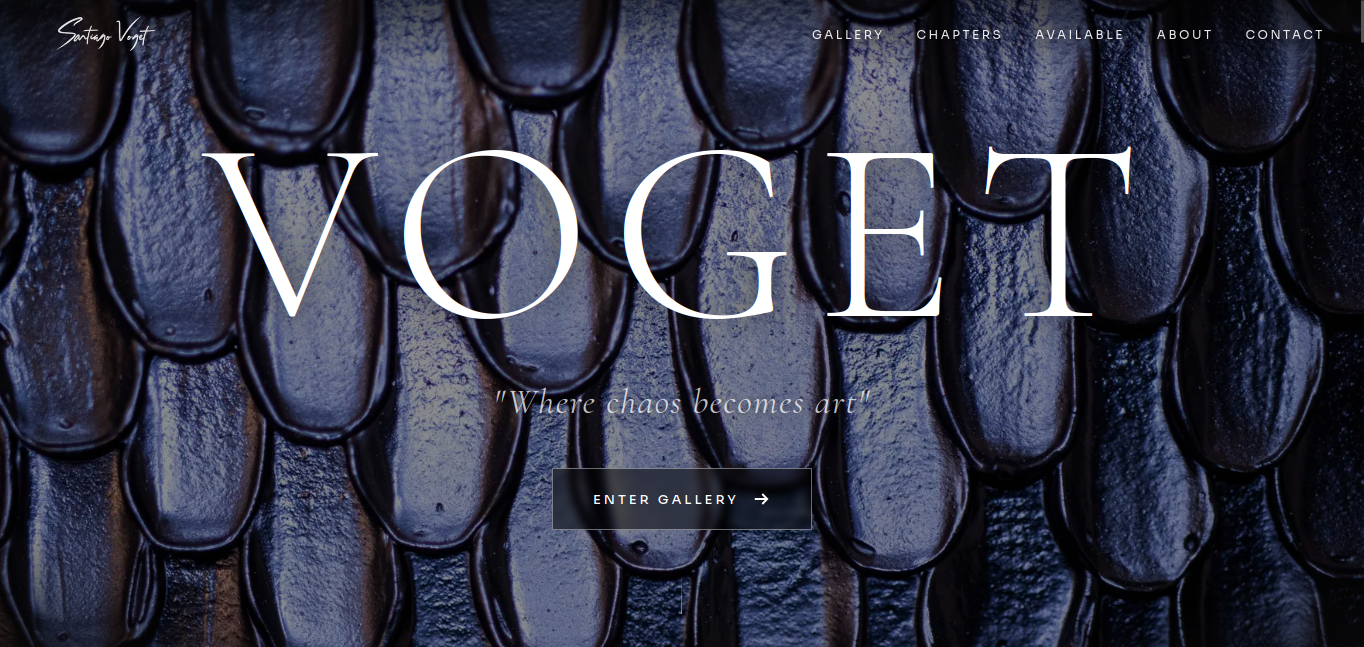
The design language serves the art — cinematic parallax hero, scroll-reveal animations throughout, custom noise overlays, and gradient treatments that give the gallery a physical, textured quality. Typography pairs Cormorant Garamond with Sora for an editorial feel. Every layout decision was mobile-first, ensuring the gallery experience translates beautifully to phone screens.
Key Details
Cinematic parallax hero with responsive typography
Scroll-reveal animations throughout
Custom noise overlays and gradient treatments
Cormorant Garamond + Sora editorial typography pairing
Full custom domain setup from scratch — configuring Namecheap DNS records (A Record, CNAME, TXT) to point to Vercel, provisioning SSL certificates, and establishing a production deployment pipeline where every git push triggers automatic deployment through Vercel CI/CD.
Key Details
Custom domain with Namecheap → Vercel DNS configuration
A Record, CNAME, and TXT record setup
SSL certificate provisioning
Git-triggered CI/CD deployment pipeline
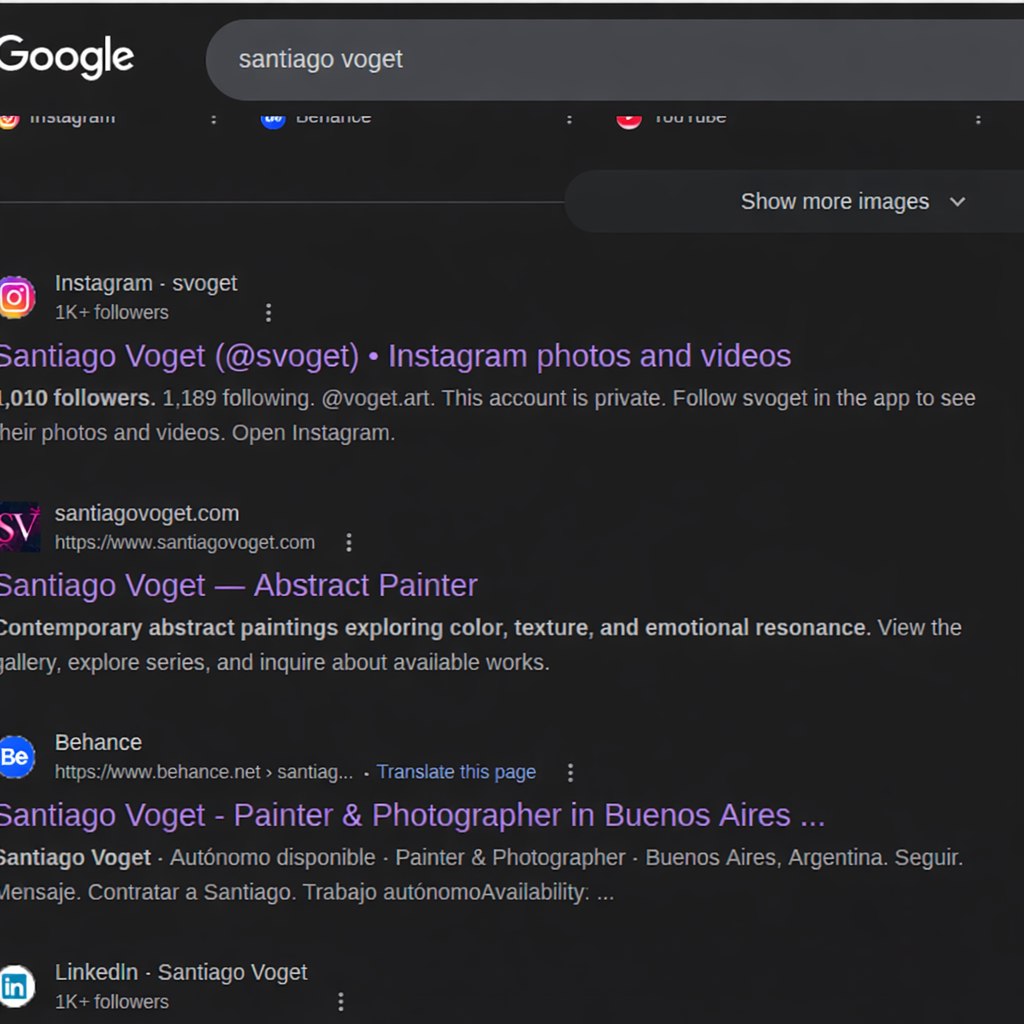
Built for discoverability — Google Search Console verified, dynamic sitemap generation, robots.txt configuration, and Open Graph metadata for social sharing. Result: santiagovoget.com ranks on the first page of Google, second only to the artist's Instagram. Dual analytics system: Vercel Analytics for developer monitoring and Google Analytics for client-facing insights.
Key Details
First-page Google ranking for "Santiago Voget"
Dynamic sitemap generation via Next.js
Open Graph + social preview metadata
Dual analytics: Vercel (developer) + Google (client)
Google Search Console verified
Google search results — santiagovoget.com ranking 2nd on the first page, right below Instagram
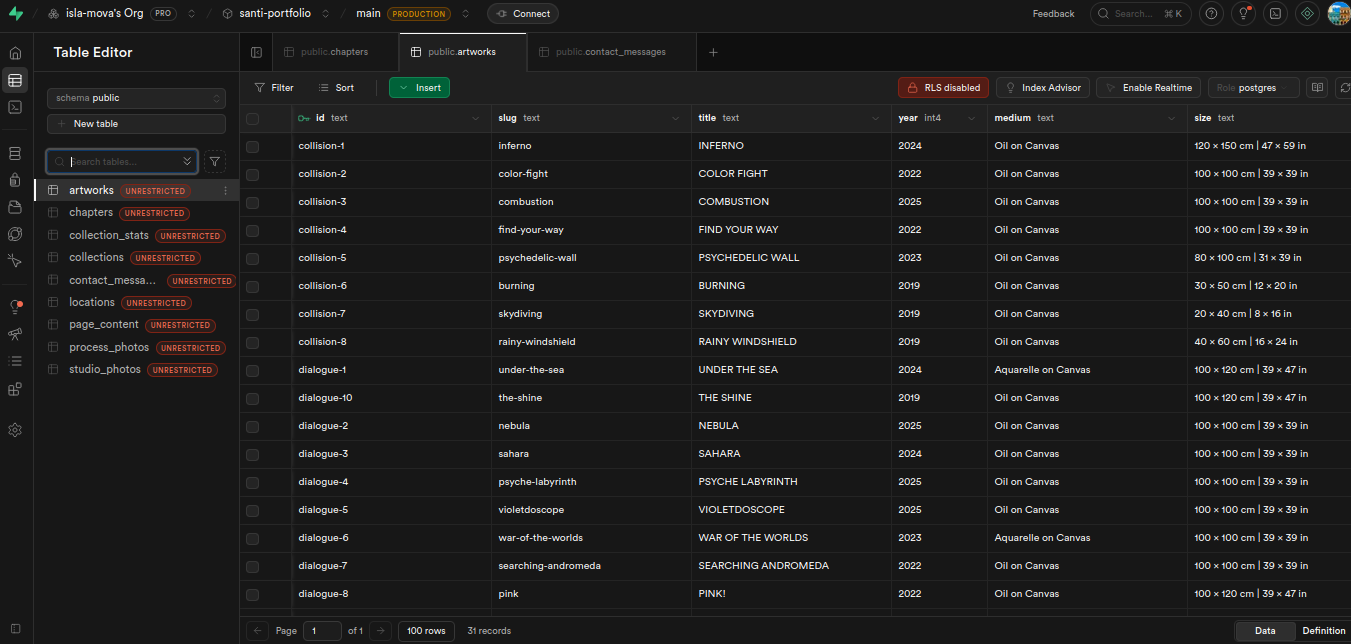
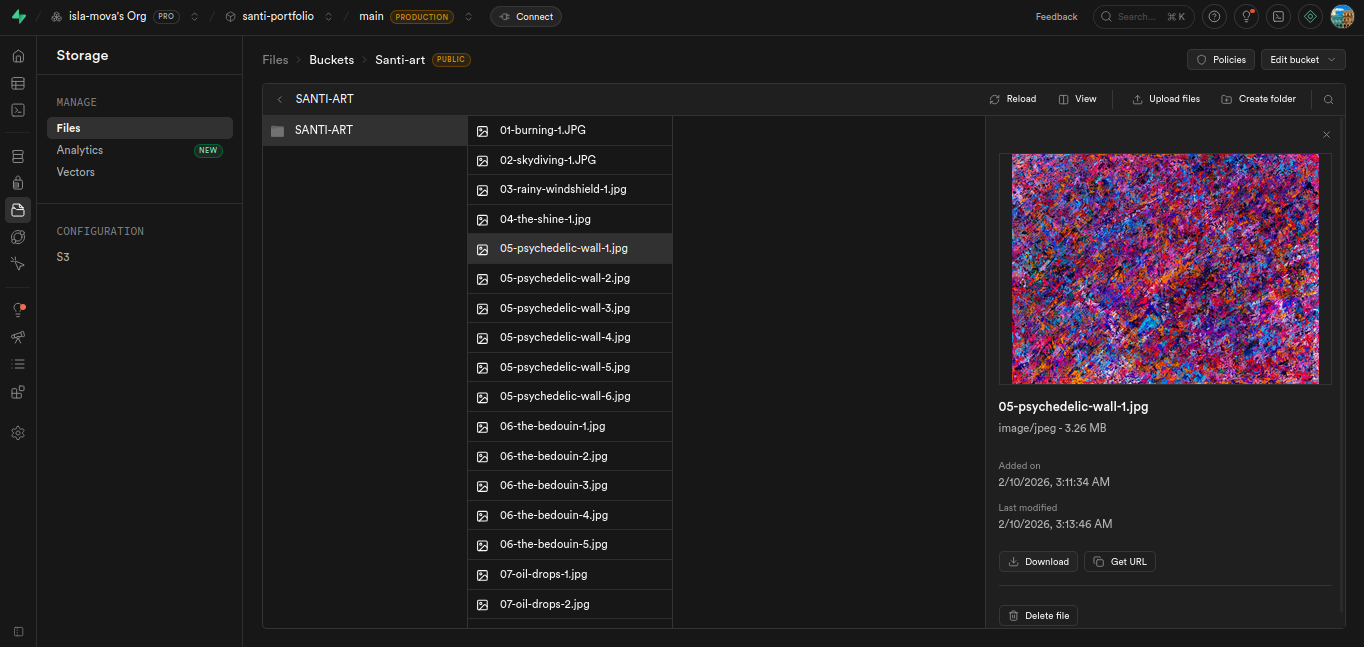
945MB+ of high-resolution artwork images hosted on Supabase Storage CDN, loaded through Next.js Image component with responsive sizing and lazy loading. The PostgreSQL database stores all artwork metadata — titles, chapters, mediums, dimensions, availability, pricing — with indexed queries for fast filtering. Multiple image views per artwork provide a museum-quality browsing experience.
Key Details
945MB+ images on Supabase Storage CDN
PostgreSQL database with 32 artwork records
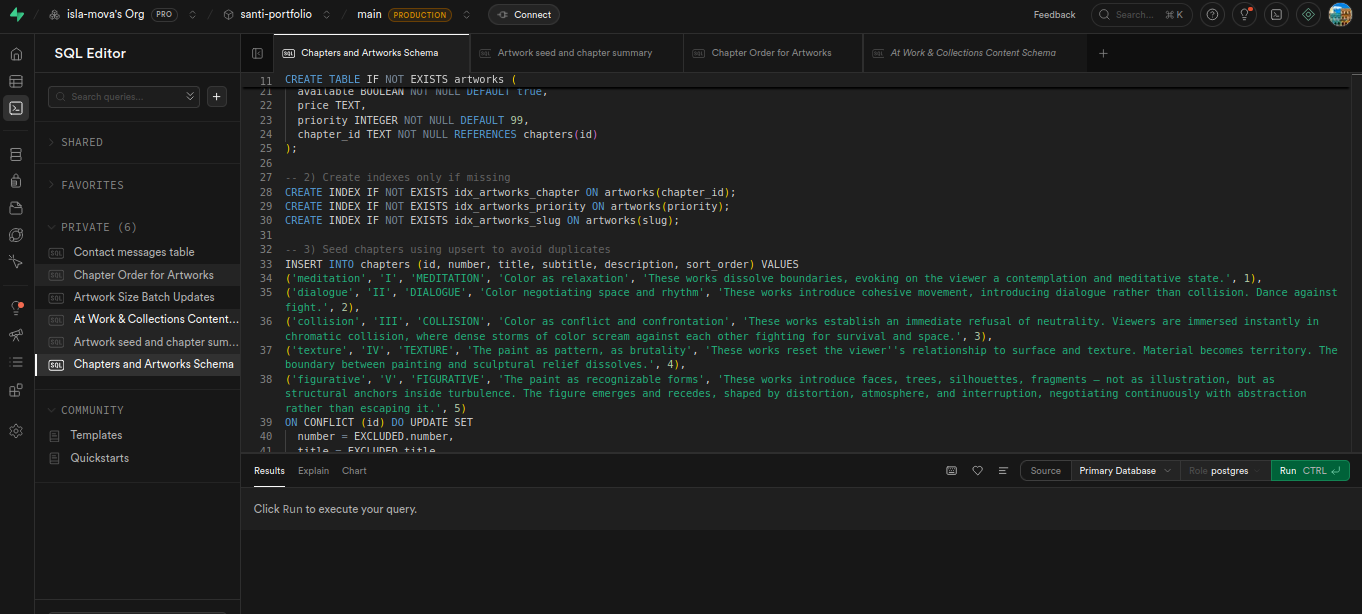
Indexed queries on chapter, priority, and slug
Next.js Image with responsive sizes + lazy loading
Multiple lightbox images per artwork
Supabase Table Editor — 32 artwork records with chapter groupings, metadata, and availability
Supabase Storage — Santi-art bucket with high-resolution artwork images (3.26MB each)
SQL schema — CREATE TABLE, chapter seeding with upsert, and indexed queries for performance
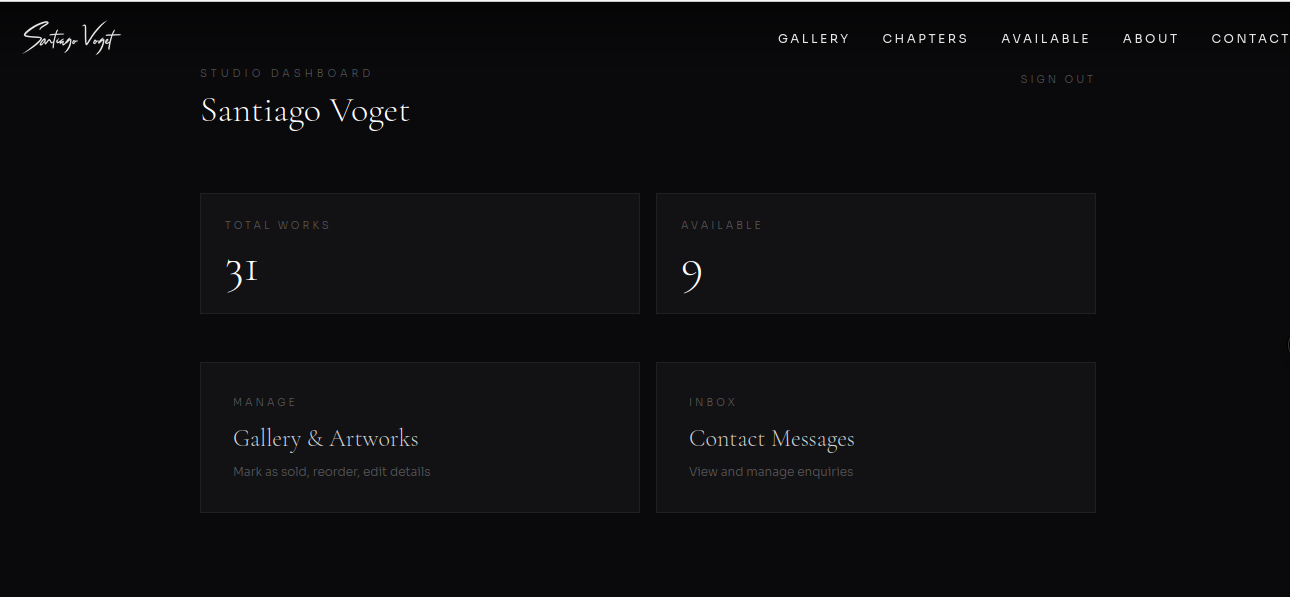
A fully custom admin dashboard that gives Santiago complete control over his gallery — no developer needed, no code required. The Studio Dashboard shows total works, availability counts, and quick access to gallery management and contact messages. Santiago can toggle artwork availability, reorder pieces by drag-and-drop (both gallery-wide and per chapter), upload new artworks with all metadata, edit and replace multiple lightbox images per artwork, manage his artist biography and statement, and read visitor inquiries directly in the dashboard with one-click email reply.
Key Details
Studio Dashboard with artwork stats and quick navigation
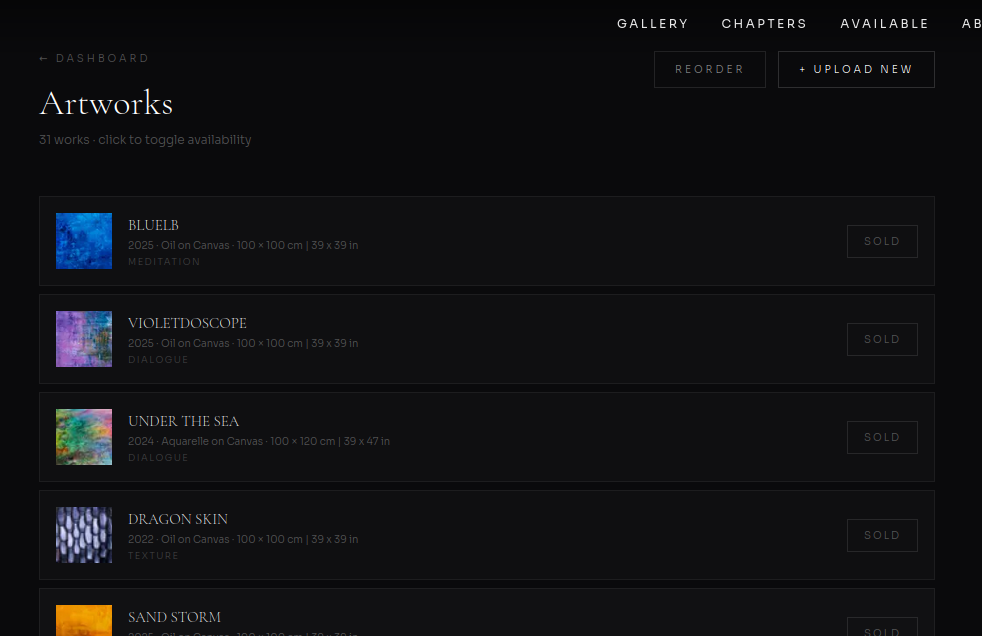
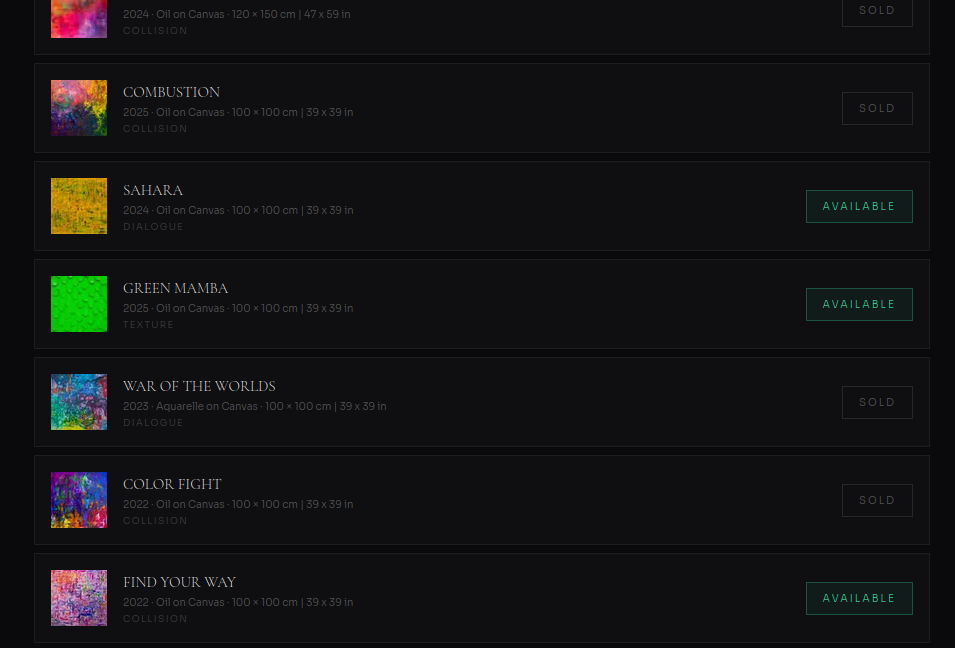
Artwork management — toggle Sold/Available with one click
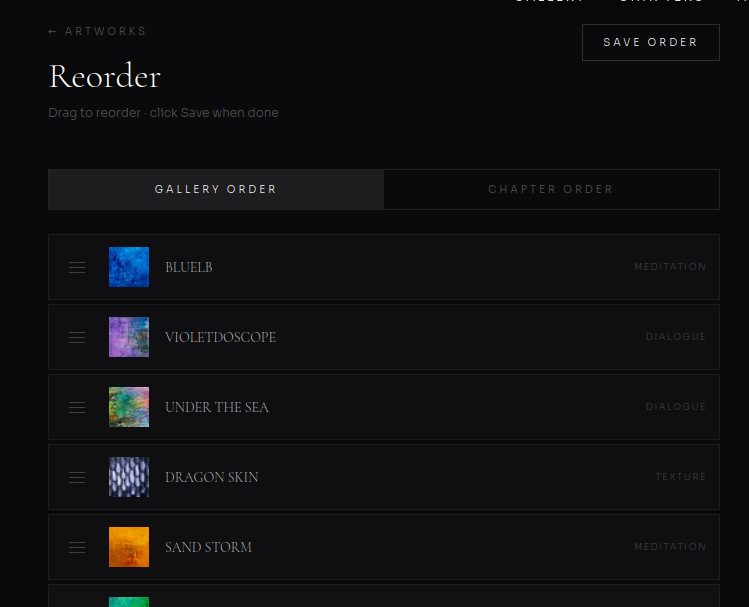
Drag-and-drop reorder for gallery and chapter display order
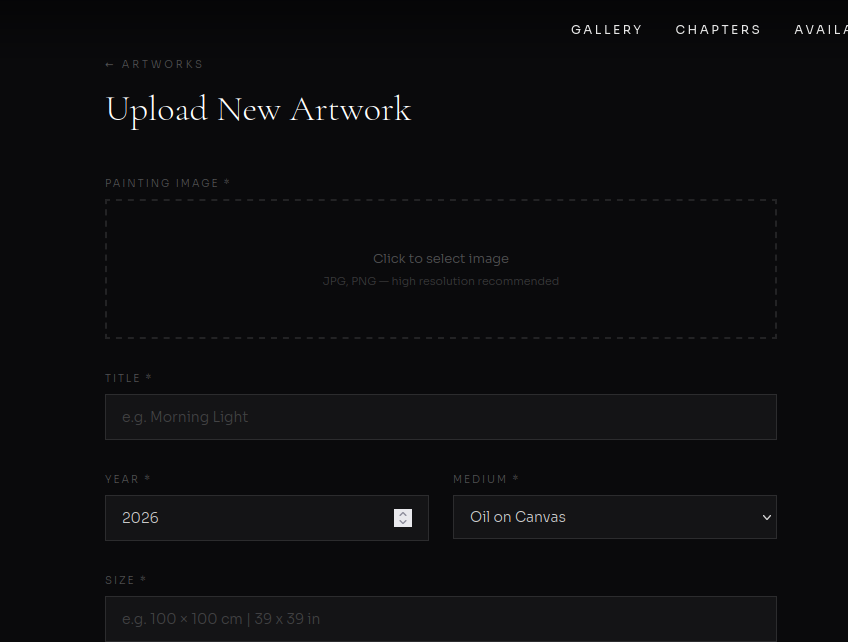
Upload new artwork with image, title, year, medium, and size
Edit and replace multiple lightbox images per artwork
About page editor — artist biography, statement, and photo
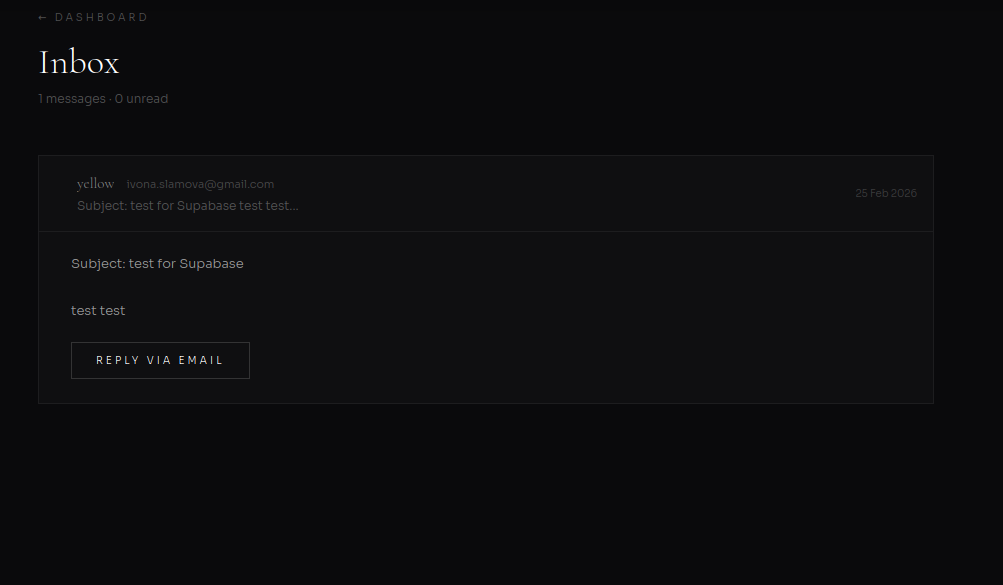
Built-in inbox for visitor inquiries with reply via email
Delete artworks and contact messages from dashboard
Authentication with secure sign-in/sign-out
Studio Dashboard — Total Works: 32, Available: 9, with Gallery & Artworks management and Inbox
Artworks list — 32 works with thumbnails, chapters, availability status, Reorder and Upload buttons
Artworks list — availability badges (Sold/Available) togglable with one click
Upload New Artwork — image upload, title, year, medium dropdown, and size fields
Drag-to-reorder — Gallery Order and Chapter Order tabs for controlling display sequence
Inbox — visitor messages with subject, sender, date, and Reply via Email action
The admin CMS is built on a secure server-side API architecture using Supabase's service role key — entirely separate from the public-facing anon key. All admin write operations (update, delete, upload, reorder) route through Next.js API routes that verify the authenticated session before executing, completely bypassing Row Level Security conflicts that arise with browser-side clients.
Architecture Decision
The challenge: Supabase RLS policies created conflicts when admin write operations were performed from browser clients using the anon key, even with valid authenticated sessions. The solution was to move all write operations server-side — a deliberate architecture decision that separates public read access from authenticated admin writes.
Key Details
9 dedicated API routes: update-artwork, delete-artwork, upload-image, toggle-availability, reorder-artworks, update-about, delete-message, mark-read, logout
Service role key used exclusively server-side — never exposed to client
requireAdminSession() guard on every route verifying auth before execution
cache: 'no-store' on Supabase client preventing Next.js fetch caching stale data
export const dynamic = 'force-dynamic' on all pages ensuring fresh server renders
FormData-based image upload API handling binary file transfers server-side
A critical challenge with Next.js 14 and Supabase: Next.js aggressively caches fetch requests by default, causing gallery and admin pages to display stale data even after database updates. Diagnosed through systematic debugging and resolved through a layered approach targeting both the Supabase client configuration and the page rendering strategy.
Key Details
Identified root cause: Next.js fetch cache intercepting Supabase internal requests
Fixed Supabase singleton client with { cache: 'no-store' } on all fetch calls
Applied force-dynamic to root layout — propagates to all 57 pages at once
Targeted force-dynamic on individual route handlers (sitemap.xml, API routes)
Result: gallery, chapters, available works, and admin all reflect changes instantly
Engineering Challenges
Supabase RLS conflicts blocking admin write operations
Row Level Security policies conflicted with browser-side admin writes using the anon key, even with valid auth sessions. Moved all write operations to server-side Next.js API routes using the service role key — completely bypassing RLS while keeping the public client read-only. Added requireAdminSession() guards on every route.
Next.js fetch cache causing stale gallery data
After database updates, gallery and admin pages showed old data. Next.js was aggressively caching Supabase fetch requests. Fixed with a layered approach: { cache: 'no-store' } on the Supabase client singleton, force-dynamic on the root layout propagating to all 57 pages, and targeted cache control on individual API routes and sitemap generation.
Multi-image lightbox with keyboard, swipe, and zoom
Built a custom React lightbox supporting left/right navigation, keyboard shortcuts, swipe gestures on mobile, full-screen zoom, and a photo counter — entirely in React state with no external library. Careful attention to scroll locking, focus trapping, and body overflow management.
945MB+ of artwork images impacting load performance
Migrated all images to Supabase Storage CDN and loaded them through Next.js Image component with responsive srcsets and lazy loading. Combined with priority-based ordering so above-the-fold artworks load first. Gallery filtering uses client-side state to avoid re-fetching from the database on every chapter change.
Drag-and-drop reorder for both gallery and chapter ordering
Implemented dual reorder modes — Gallery Order (global display sequence) and Chapter Order (per-chapter arrangement) — with a visual drag-and-drop interface. Each reorder operation writes back to PostgreSQL via a dedicated API route that updates priority values in batch.
Reflection
This was my first full production project — and the one that taught me the most about what it means to ship real software. Not just building features, but maintaining them. Not just writing code, but making architecture decisions that have consequences months later.
The Supabase RLS challenge forced me to understand the difference between client-side and server-side security models — and to build a solution that keeps the public site read-only while routing all admin writes through authenticated API routes. That's not something you learn from a tutorial. You learn it when your admin panel breaks in production and you have to figure out why.
The caching problem taught me that Next.js opinions about data freshness don't always align with real-time CMS needs — and that diagnosing invisible caching layers requires systematic debugging, not guesswork.
Most importantly, this project taught me to think about the client as a second user. Santiago never sees the code — but every dashboard interaction, every drag-and-drop reorder, every one-click availability toggle was designed so he could run his gallery independently. That mindset — building for the person who operates the system, not just the person who views it — changed how I approach every project since.
Skills Demonstrated
Full-stack architecture: React frontend, Next.js API routes, PostgreSQL, Supabase CDN
Custom CMS dashboard with zero-learning-curve admin interface
Server-side security architecture with service role key isolation
Supabase RLS understanding and deliberate bypass patterns
Next.js caching diagnosis and force-dynamic strategies
Gallery platform with chapter-based exhibition system
Custom inspiration/sharing system with localStorage persistence
Multi-integration: Web3Forms, Google Analytics, Vercel Analytics
DNS, SSL, and CI/CD deployment pipeline from scratch
SEO achieving first-page Google ranking
Client handoff — artist runs gallery independently
Ongoing Development
The platform continues to grow as Santiago's career evolves. The architecture is designed for expansion — each new section extends the CMS with the same zero-learning-curve approach.
Exhibitions & Galleries
Past and upcoming shows, gallery partnerships, and exhibition photography — a timeline of the artist's career
Private Collections
A curated view of sold works with collector appraisals and provenance — unlocked once the artist gathers the material
At Work
Behind-the-scenes studio documentation — process photography and video showing the artist at work
Outcome
Gallery platform, exhibition system, inspiration engine, contact integration, admin CMS with secure backend architecture, SEO, analytics, DNS infrastructure, and media delivery — all designed, built, and shipped as a solo developer.